Resolving Missing Activities in the Matrix Assessment
The Matrix Activities section pulls from the Salesforce activity feed to display four standard record types: Emails, Tasks, Calls, and Meetings. If activities do not appear as expected, the steps below address the most common causes.
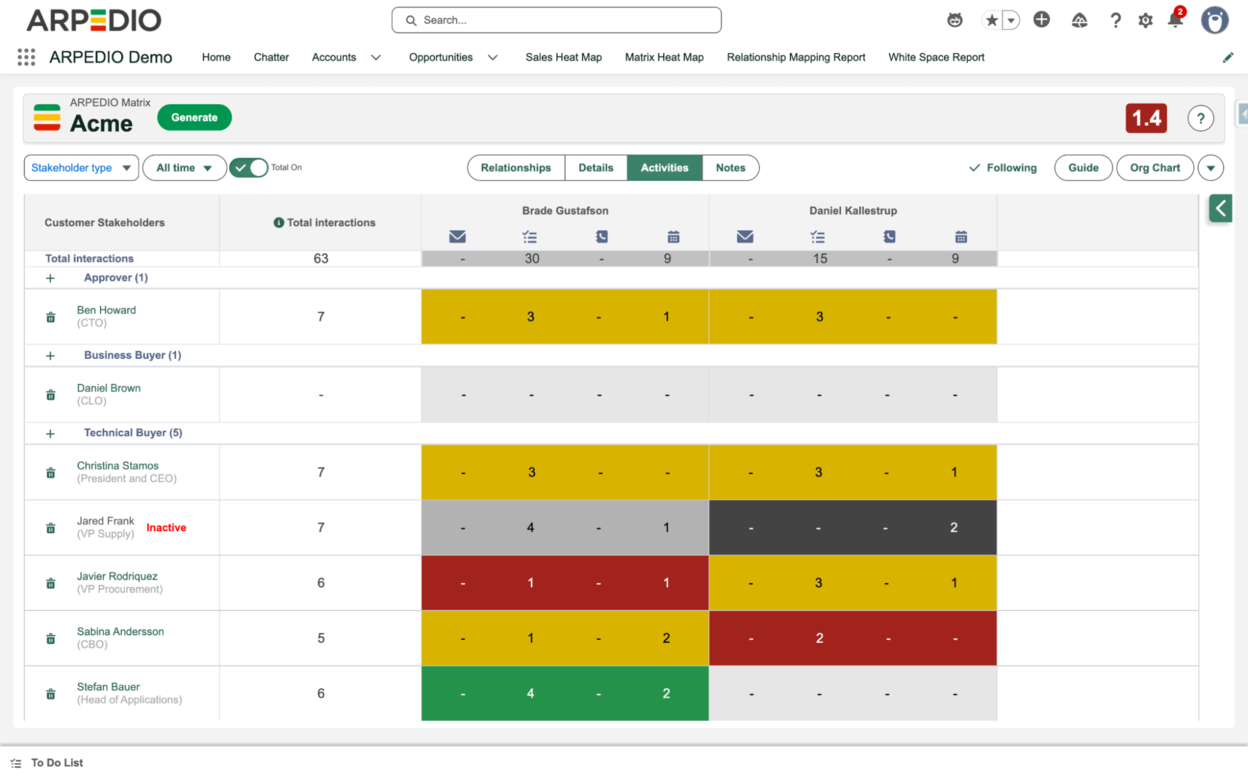
Check Your Activity Capture Extension
Activities must be logged as Salesforce records to appear in the Matrix. The Salesforce Gmail and Outlook extensions make this straightforward, allowing you to log emails and meetings directly from your inbox or calendar as Salesforce records.
Learn how to install and enable the Salesforce Gmail or Outlook extension here.
Note: Some third-party extensions log activity in a way that is not compatible with the Matrix.
Review the Matrix Activity Mapping Settings
If activities are logged correctly but still not appearing, your organization's Matrix Settings may need to be reviewed. Users with ARPEDIO Admin privileges can access the Activity Mapping section within Matrix Settings to control which record types and fields are mapped.
If changes have recently been made to these settings, verify that each object and field is correctly mapped and that the logic applied accurately reflects the intended activity type.