Understanding How ARPEDIO Calculates Assessment Scores
ARPEDIO calculates scores at four levels (Overall, Area, Topic, and Answer) to give you a clear picture of how complete and healthy each assessment is. Every score is scaled to a maximum of 5, and the Importance you assign to each element controls how much it moves the result.
The Four Score Levels
- An Overall score for the full assessment
- A score for each Area
- A score for each Topic within an Area
- A weight for each Answer to a question
Each level rolls up into the one above it. Answer weights determine Topic scores, Topic scores determine Area scores, and Area scores determine the Overall score.
Importance and Weighting
Areas, Topics, and Questions can each be assigned an Importance level, which influences the final score. The three Importance levels carry the following weights:
| Importance | Weight |
|---|---|
| Low | 1 |
| Normal | 2 |
| High | 3 |
Note: Best practice is to start all components at Normal importance. Once you have completed your first assessment and reviewed the full overview, adjust specific items to Low or High as needed.
Importance changes apply immediately to all existing assessments built on that template version. Scores will move as soon as you publish.
How the Overall Score Is Calculated
The Overall Score is the weighted average of all Area scores, based on each Area's Importance:
Score(Overall) = (S(A1)*I(A1) + S(A2)*I(A2) + … + S(An)*I(An)) / (I(A1) + I(A2) + … + I(An))
Where S(A2) is the score of the second Area and I(A2) is the Importance of the second Area.
How an Area Score Is Calculated
An Area score is the weighted average of all Topic scores within that Area:
Score(Area) = (S(T1)*I(T1) + S(T2)*I(T2) + … + S(Tn)*I(Tn)) / (I(T1) + I(T2) + … + I(Tn))
Where S(T2) is the score of the second Topic and I(T2) is the Importance of the second Topic.
How a Topic Score Is Calculated
A Topic score is based on the Answer weights and Importance of each Question within the Topic:
Score(Topic) = (A(Q1)*I(Q1) + A(Q2)*I(Q2) + … + A(Qn)*I(Qn)) / (I(Q1) + I(Q2) + … + I(Qn)) * 5
Where A(Q2) is the Answer weight for the second Question and I(Q2) is the Importance of the second Question.
How Answer Weights Are Distributed
Each Answer option carries a weight between 0 and 1, distributed progressively across the available options. The first option always carries a weight of 0 and the last always carries a weight of 1:
| Number of Answer Options | Weights |
|---|---|
| 2 | 0 / 1 |
| 3 | 0 / 0.33 / 1 |
| 4 | 0 / 0.17 / 0.50 / 1 |
| 6 | 0 / 0.07 / 0.20 / 0.40 / 0.67 / 1 |
The weight for each option is calculated using the formula below, where Ax is the x'th Answer option out of # total options, and Step = 1 + 2 + … + (#-1):
Weight(Ax) = x/Step + (x-1)/Step + (x-2)/Step + … Weight(A0) = 0 Weight(A#) = 1
Viewing Scores in the Sales Heat Map
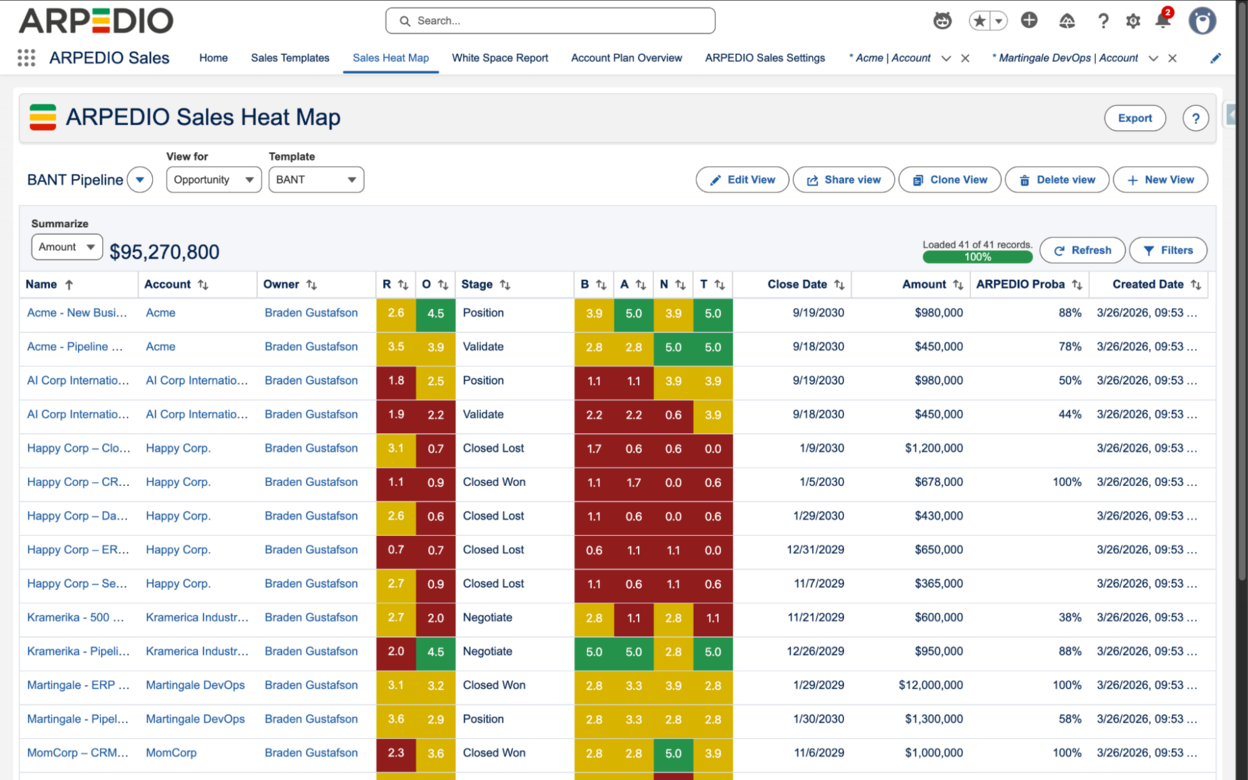
The Sales Heat Map gives you a cross-account and cross-opportunity view of all your ARPEDIO data, displaying the Overall score and individual Area scores for each record at a glance. Use it to compare scores across a portfolio rather than reading one assessment at a time.
Elements that have not been fully assessed display with a gray score background, which distinguishes a genuinely low score from an incomplete one.