How to Update Your ARPEDIO Packages via AppExchange
Keeping your ARPEDIO packages up to date ensures you benefit from the latest features and platform improvements. Follow the steps below to upgrade via the Salesforce AppExchange.
Note: It is recommended to test updates in a Sandbox environment before applying them to Production.
Before You Begin
You must be logged in to Salesforce as a System Administrator to install or upgrade packages.
Steps to Update
- Go to https://appexchange.salesforce.com in your browser.
- In the search bar, type ARPEDIO and select the package you want to update, for example the ARPEDIO Sales Package.
- Click Get It Now. If prompted, log in to your Salesforce account.
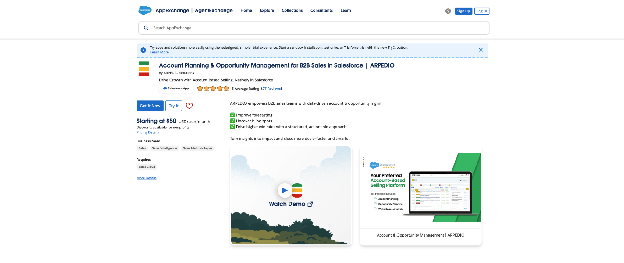
- Choose whether to install in a Production or Sandbox environment.
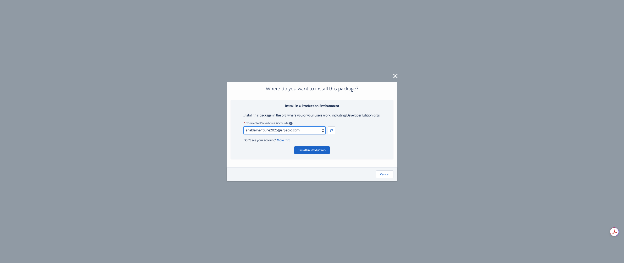
- Review the version number and release notes on the installation details screen, then click Upgrade.
- Accept the terms and conditions to proceed.
- Select the access level for the package:
- Install for Admins Only
- Install for All Users
- Install for Specific Profiles
Note: In most cases, select Install for All Users unless your org has specific profile configurations that require a more targeted approach.
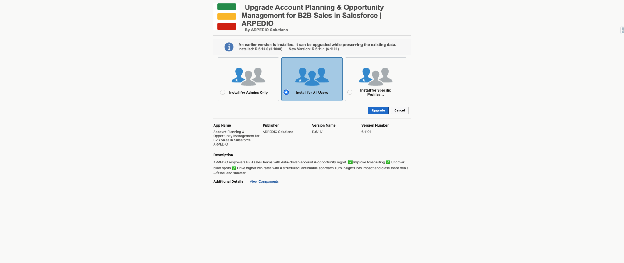
- Click Install and wait for the process to complete. You will receive an email confirmation once the upgrade is done.
After the Update
Once installation is confirmed, verify that package components are functioning as expected and check any custom configurations or integrations connected to your ARPEDIO tools.
Was this article helpful?