How to Manage Licenses for the ARPEDIO Sales and Matrix Packages
Managing licenses ensures the right Salesforce users have access to the ARPEDIO packages installed in your org.
Adding Users to a Package License
- From your Salesforce home page, click the gear icon in the top right corner and go to Setup.
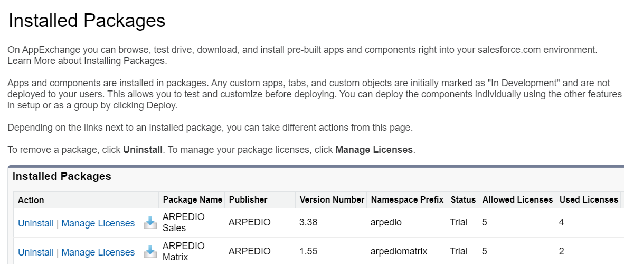
- In the left menu or via the Quick Find box, navigate to Installed Packages.
- Find the relevant ARPEDIO package and click Manage Licenses next to it.
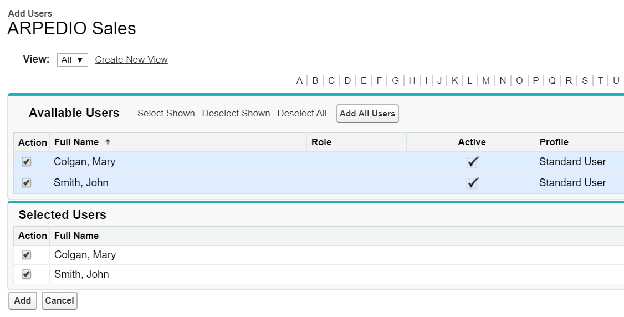
- Click Add Users, select the relevant users, and click Add.
Removing Users from a Package License
- Navigate to Installed Packages in Setup and click Manage Licenses next to the relevant package.
- Locate the user you want to remove and click Remove.
Next Steps
Once licenses have been assigned, add the appropriate permission sets to each user's profile.
Was this article helpful?